Release Date: March 9, 2026
A new Role Sensitivity system has been added to improve control over sensitive information within ampEducator. This feature allows institutions to define which roles can view or export sensitive fields across the system.
Role Sensitivity Settings
Administrators can now configure Read Sensitivity and Export Sensitivity levels for each role under:
Institution Config → Roles
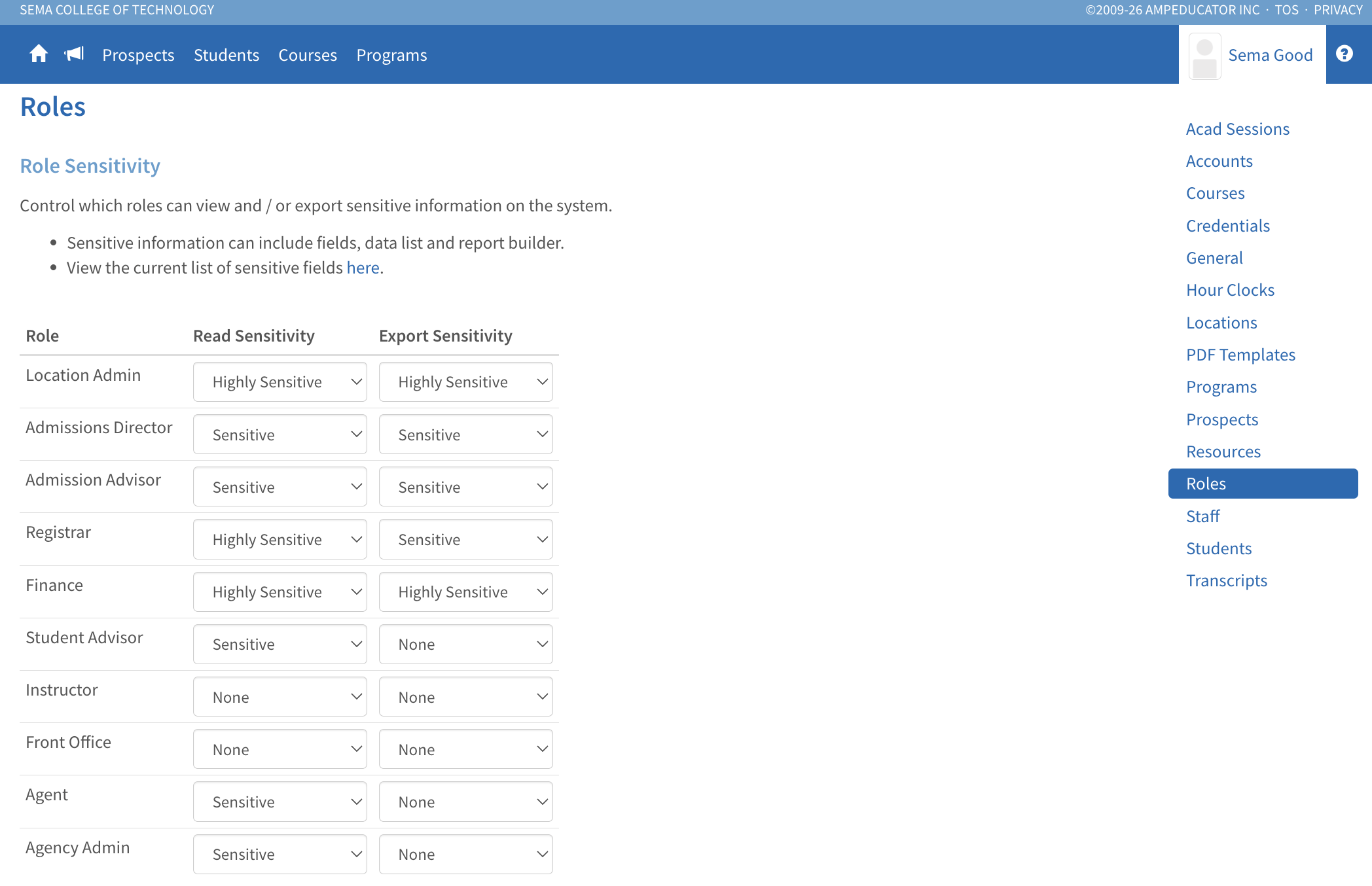
Sensitivity levels determine which roles can access sensitive data in:
- Data lists
- Student profiles
- Reports
- Data exports
This ensures that confidential information is only accessible to authorized users.
Sensitive Fields
The system includes a predefined list of sensitive fields, primarily related to student identity and contact information.
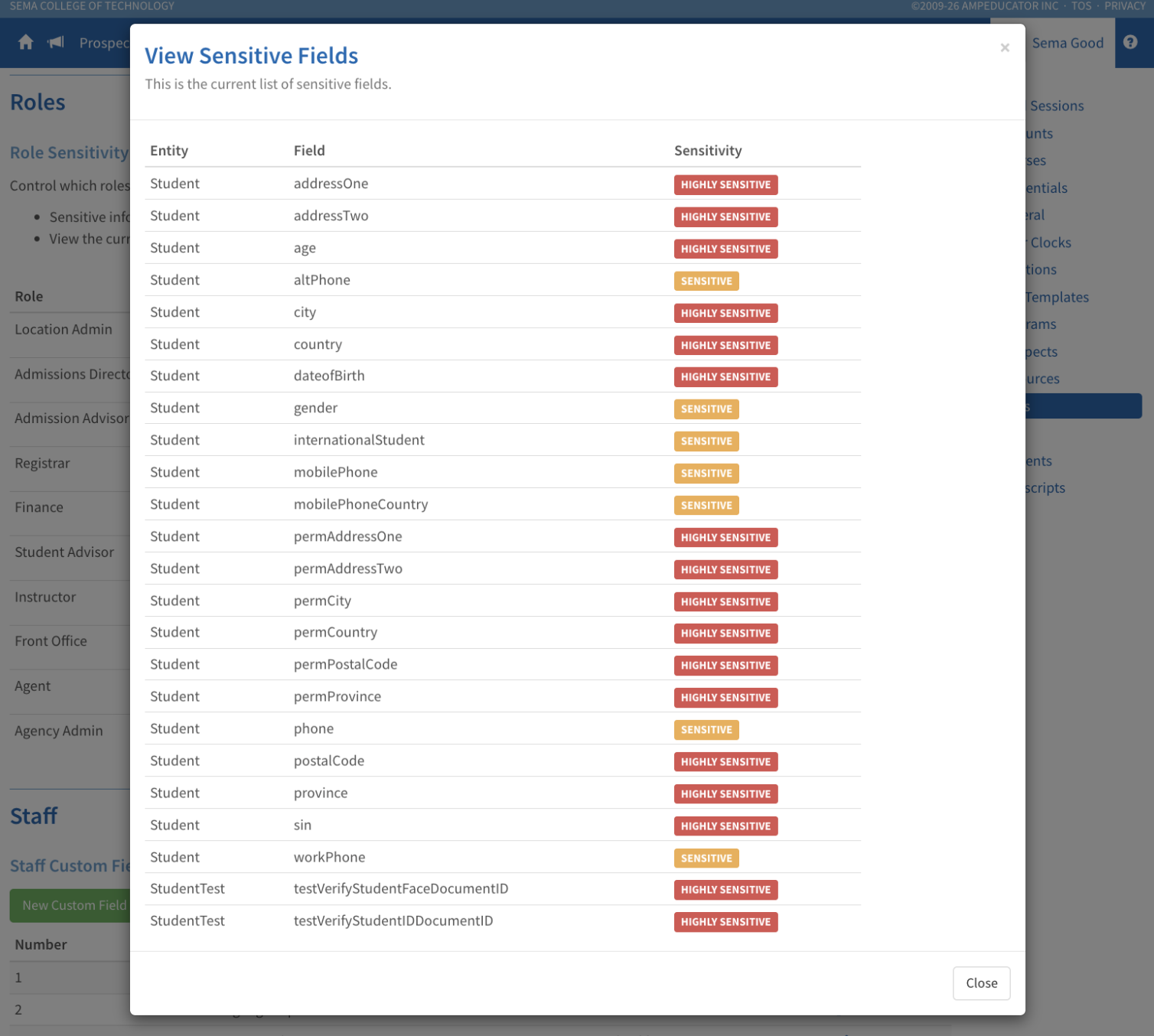
Administrators can view the current list of sensitive fields directly from the Role Sensitivity page.
Restricted Data Visibility
When a role does not have permission to view a sensitive field:
- The field will display Access Restricted in lists and profiles
- The value will not appear in exports
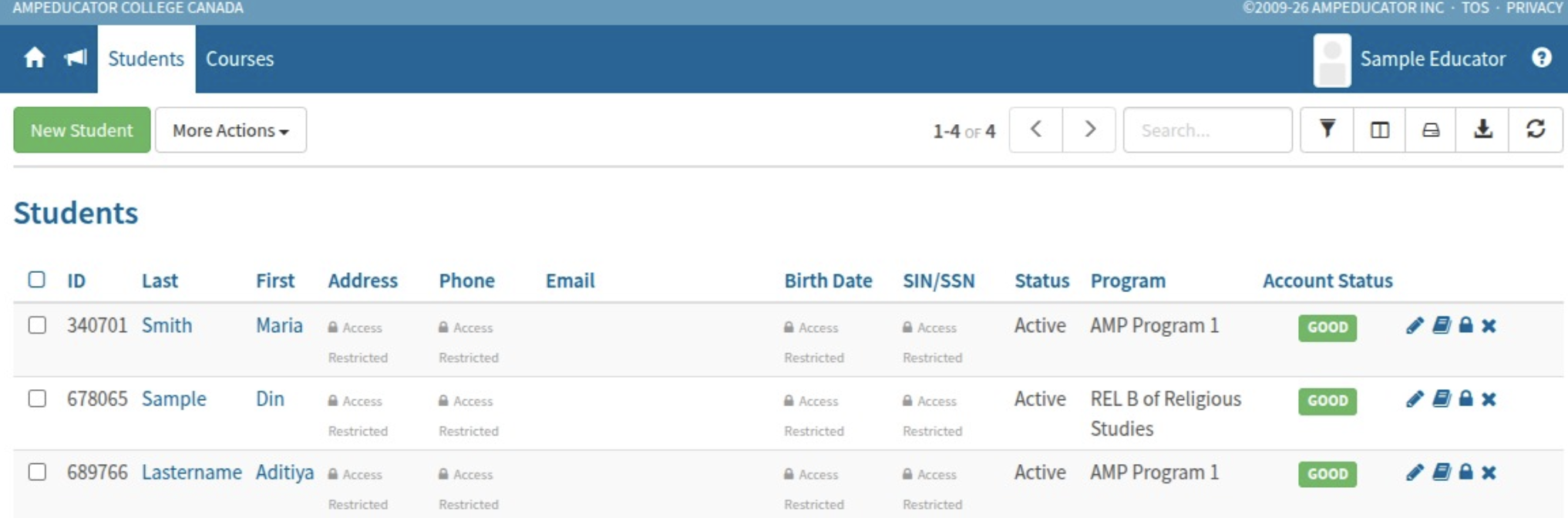
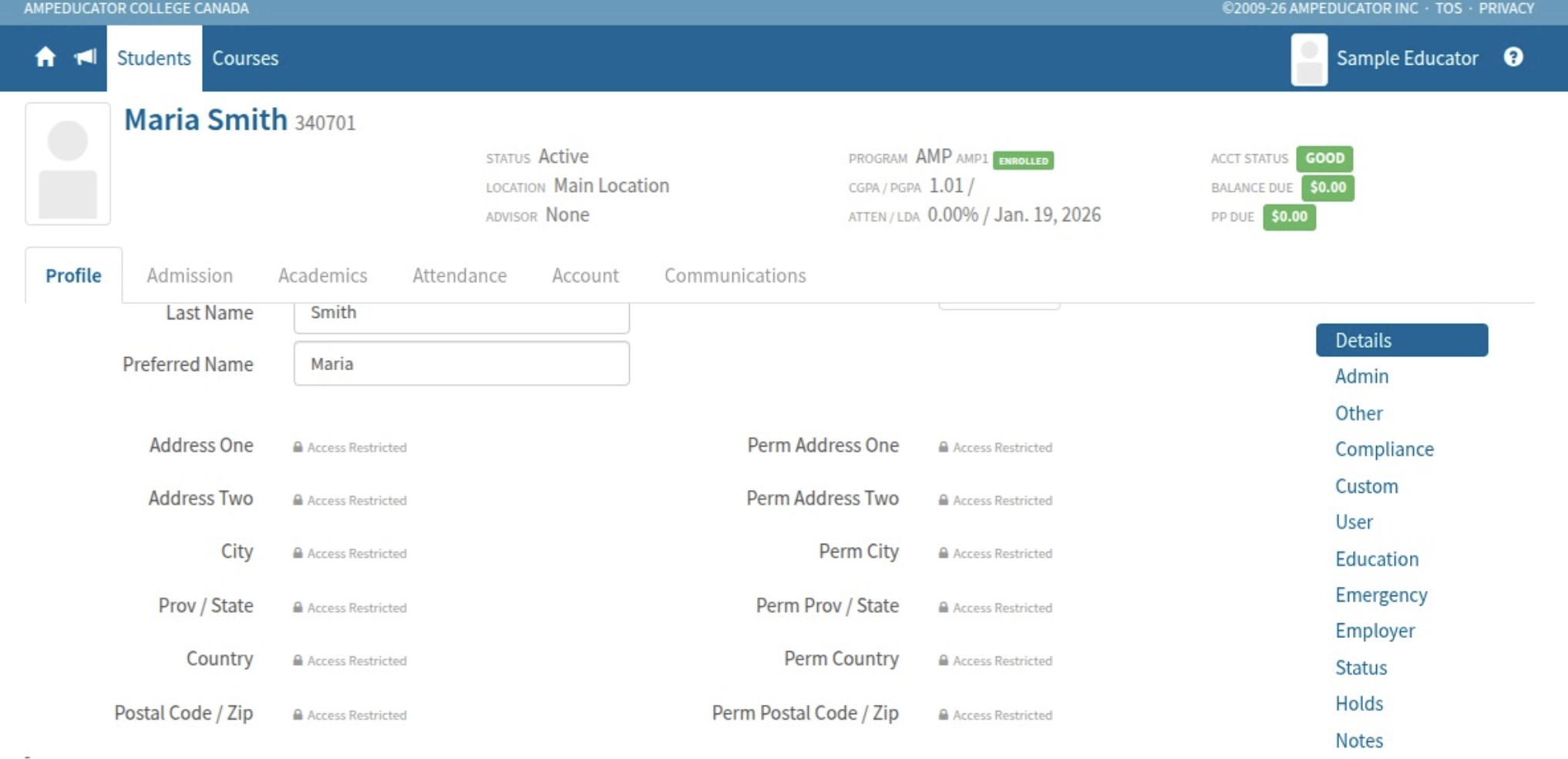
Users can still update records, but only fields they have permission to access will be visible.
Student and User Login Visibility
Access to Student and User login information is now restricted to roles with High Sensitivity access.
Proctor Permission
A new course access permission called Proctor has been added.
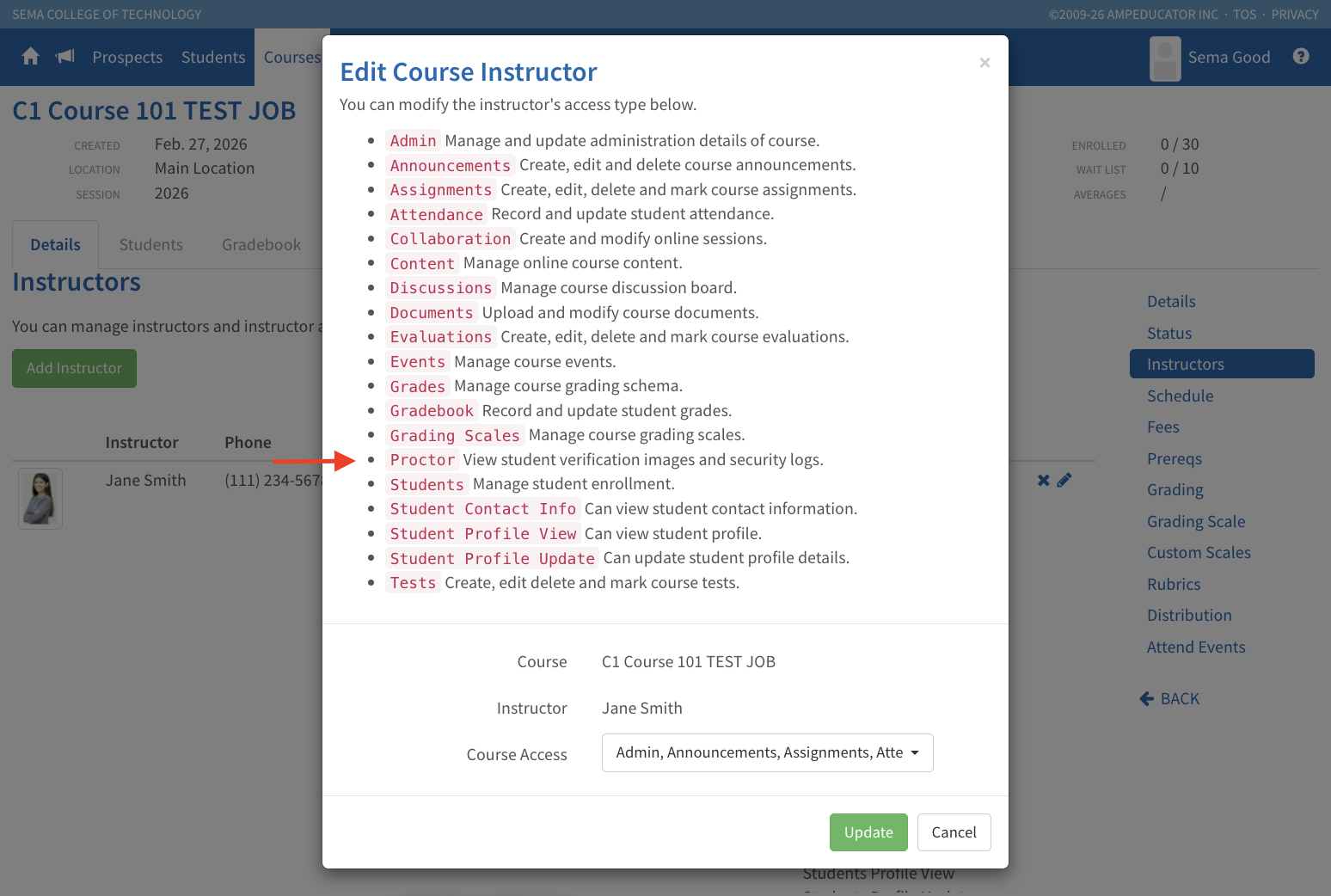
This permission controls access to:
- Verify Face and ID photos
- Security event logs
If an instructor does not have the Proctor permission, they will not be able to view these verification images or related security information.
