Release Date: February 24, 2026
Student Test Verification – Face Validation Update
When students complete identity verification during testing (selfie + ID upload), the system now performs a face detection check on both images.
Each image must contain:
- A single face
- Clearly detectable facial features
If multiple faces are detected or no face is recognized, verification will fail.
This strengthens identity verification and reduces impersonation risk during proctored testing.
Enhanced User Login Tracking & Status Visibility
We’ve expanded visibility within Students → User Logins and Staff → User Logins to provide clearer insight into how users are accessing the system and why login attempts may fail.
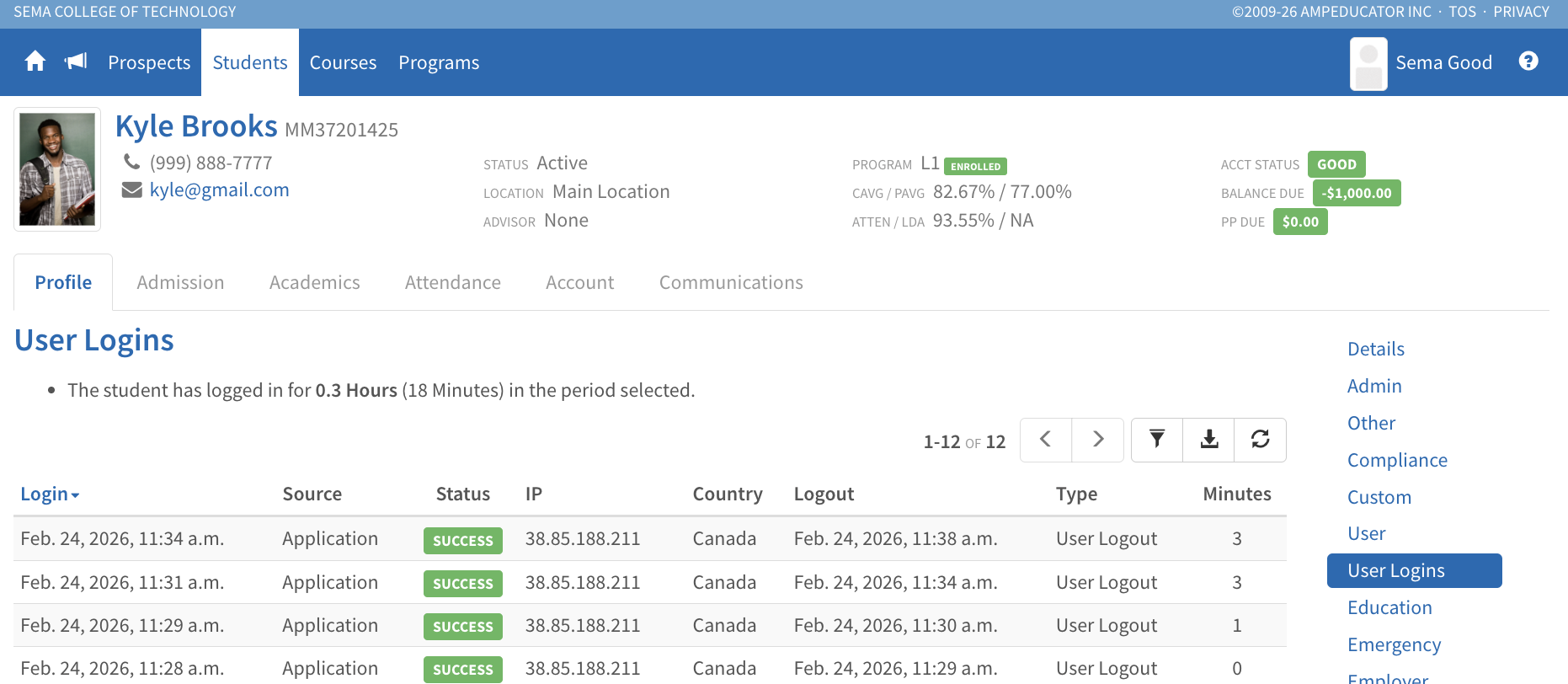
The User Logins list now includes:
- A Source column showing whether the login was through the standard Application login page or via an SSO provider (e.g., Google, Microsoft, etc.)
- A Status column indicating if a login attempt failed or was blocked
- Clear reasons for blocked or failed logins, including:
- Bad Password
- Bad 2FA
- Blocked IP
- Blocked VPN
VPN Blocking
Institutions can now enable VPN Blocking under:
Institution Config → General → Login
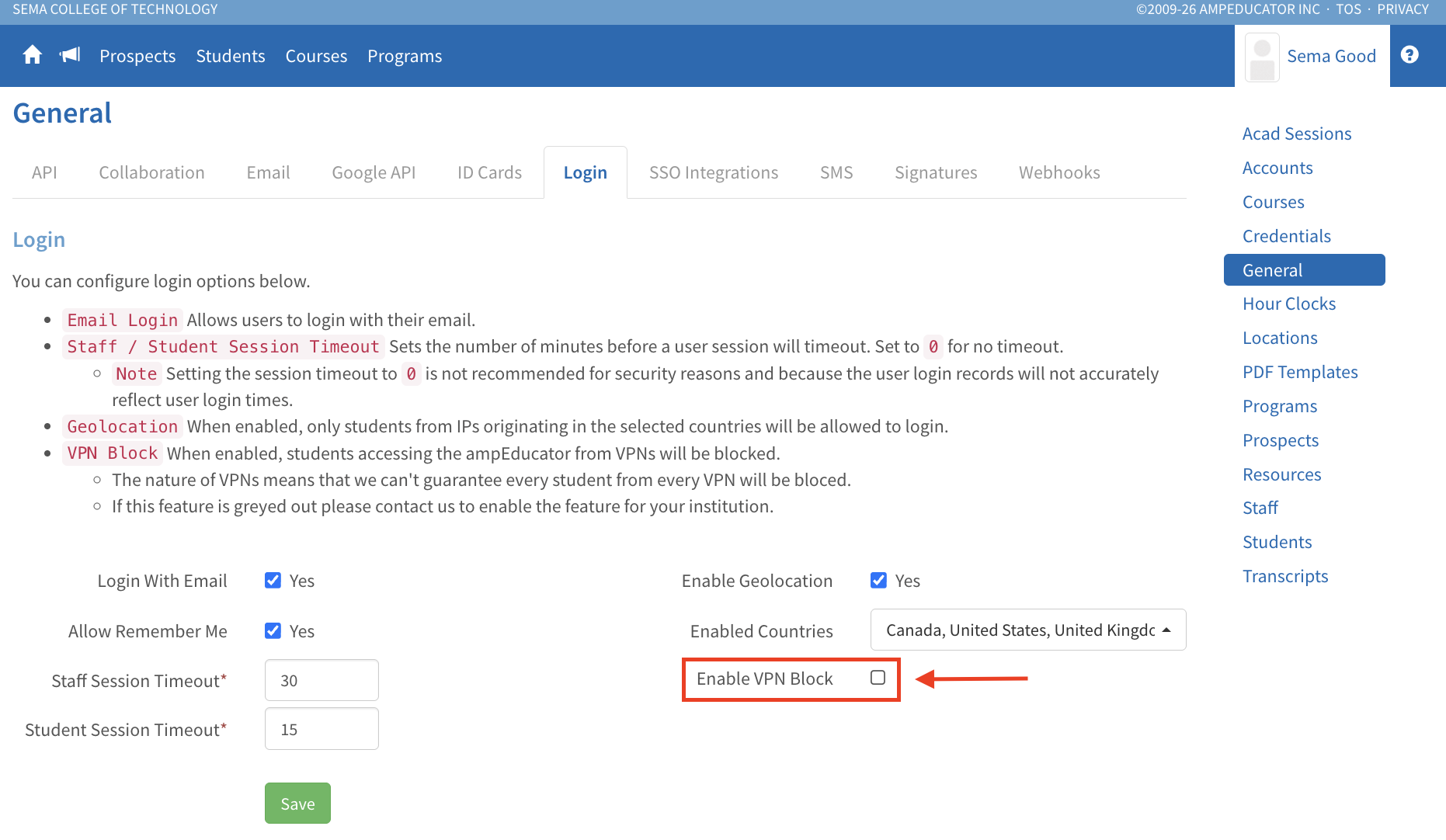
When enabled, the system will attempt to block access from detected VPN connections.
To activate this feature, please contact ampEducator Support. Once enabled for your institution, the setting will become selectable in your configuration area.
Support Email: support@ampeducator.com
