Release Date: February 24, 2026
A new section called Tax Deductions Earned has been added under Student → Account.
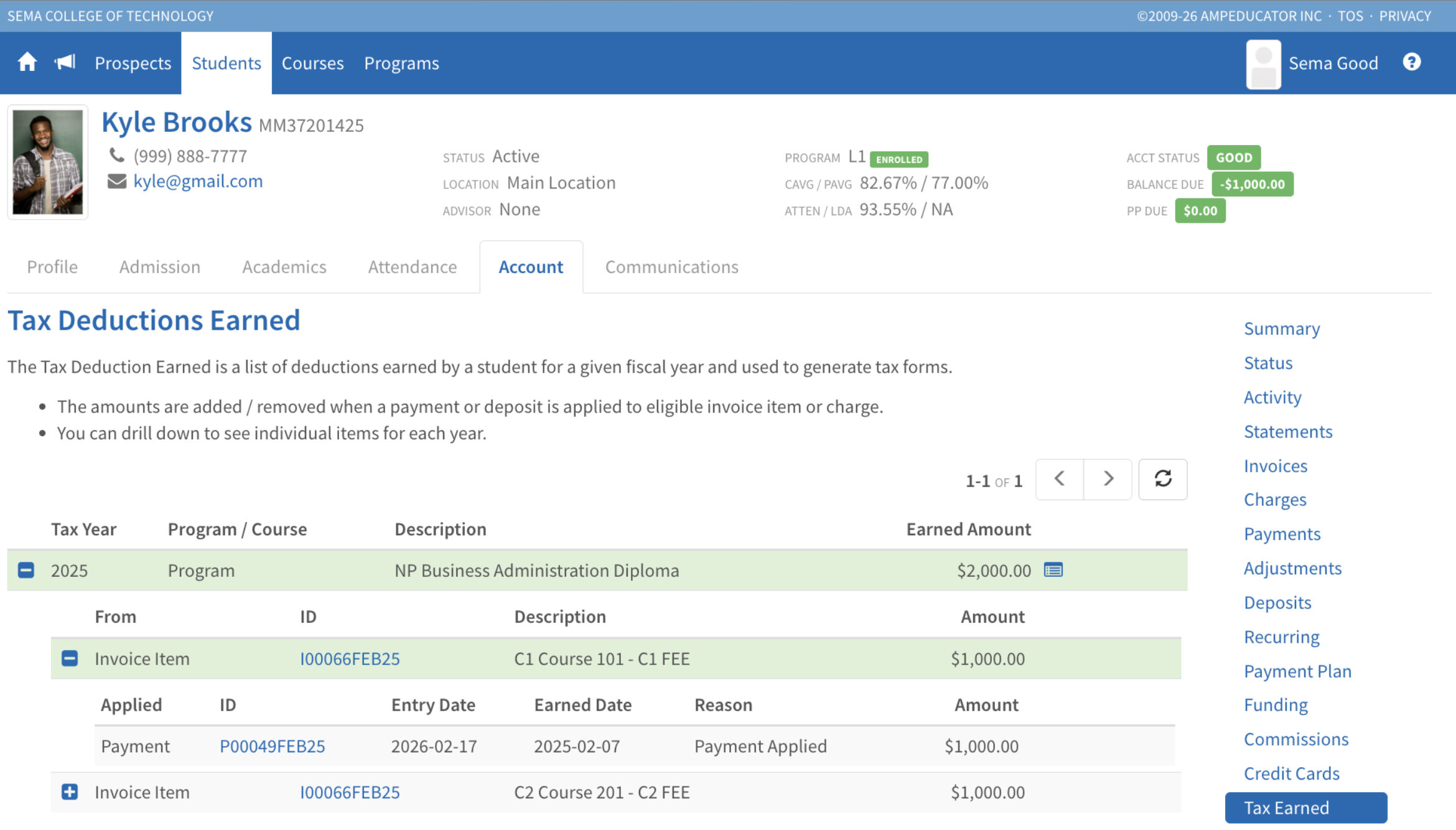
This section provides a year-based summary of tax-deductible amounts earned by a student and serves as the source for generating tuition tax forms.
The Tax Deductions Earned view:
- Groups deductions by Tax Year
- Organizes results by Program or Course
- Displays the total Earned Amount for each year
- Allows users to expand rows to drill into:
- Individual invoice items
- Charges
- Related payment and deposit activity
This provides full visibility into how a student’s eligible tuition totals were calculated.
How Amounts Are Earned
Tax deductions are recorded when payments or deposits are applied to eligible invoice items or charges.
- Payments are earned based on the payment’s recorded date.
- Deposits are earned when the deposit is applied to an eligible invoice item.
The earned tax year is determined by the earned date — not the original invoice date.
For example:
- If an invoice is issued in 2024 but paid in 2025, the deduction is earned in 2025.
- If a deposit is made in 2024 but applied in 2025, the deduction is earned in 2025.
The system also records applied and unapplied events to maintain accurate year-based totals.
Generate Tuition Statements
Tuition statements (T2202 or 1098-T) can now be generated directly from the Tax Deductions Earned section.
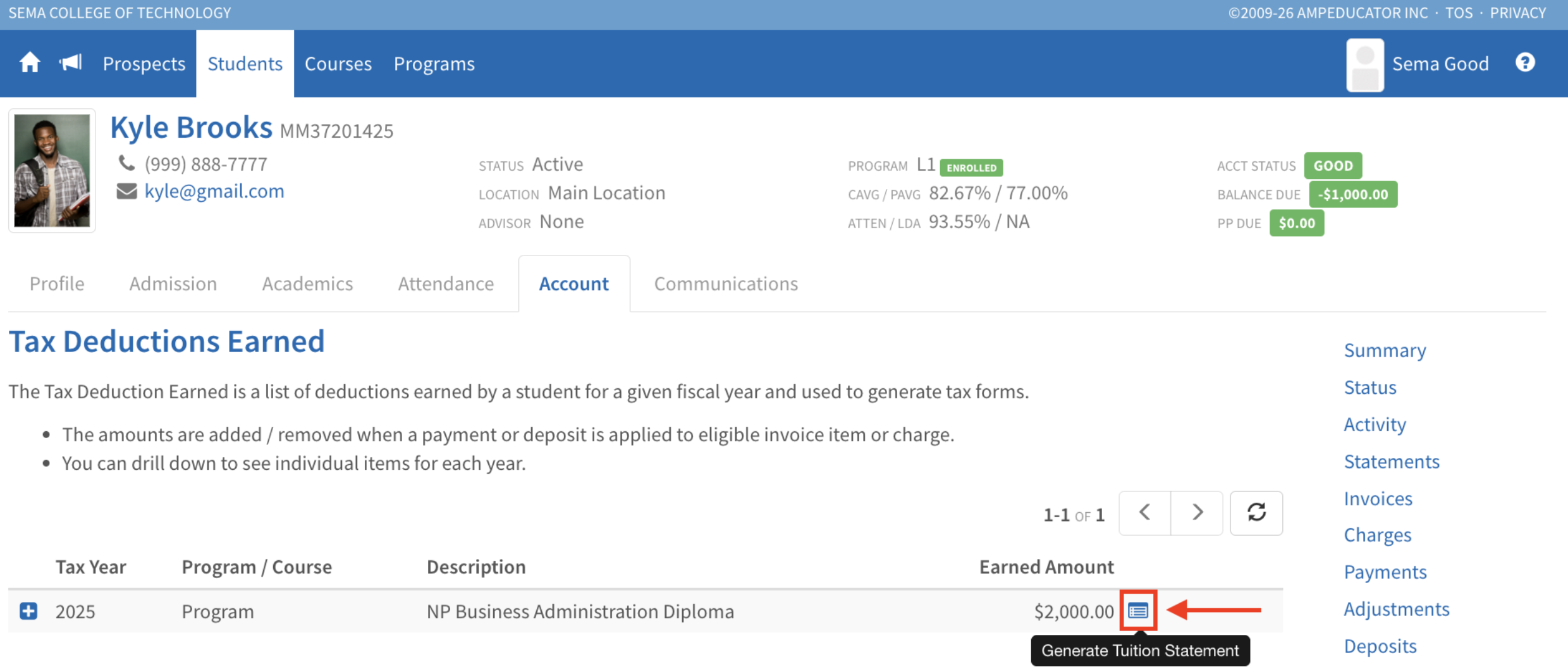
Generated forms are stored under Student → Tuition Statements.
