Release Date: December 11, 2025
A new Auto Withdraw option has been added to course enrollments. This allows the system to automatically withdraw a student from a course on a specified date.
When enrolling a student into a course, you’ll now see an Auto Withdraw field. If you select By Manual Date, it will require a withdraw date and reason.
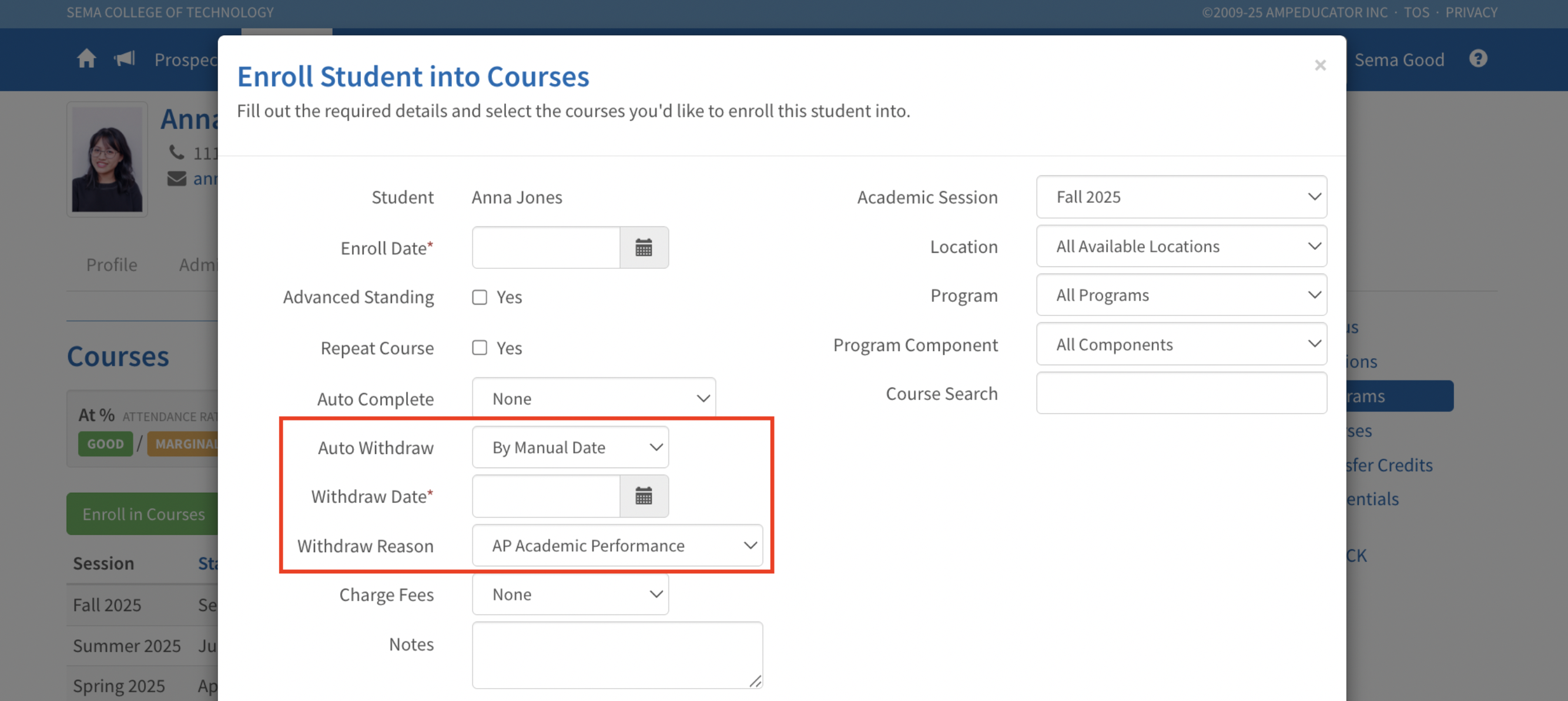
On the selected date, the system will automatically withdraw the student. (The automated job runs early each morning EST.)
Auto Withdraw settings can also be applied or updated by editing an existing enrollment under: Students → Courses → Edit Student Course
This new feature is especially useful for programs where students must complete within a set timeframe. If not completed manually, the system will withdraw them automatically to help manage enrollment-based costs.
