Release Date: November 11, 2025
We’ve introduced a new Auto Withdraw Course option that lets staff schedule a student’s withdrawal from a course automatically. This works much like the Auto Complete feature but for withdrawing instead of completing.
When enrolling a student in a course, you’ll now see an Auto Withdraw field where you can select By Manual Date and enter a withdrawal date and reason. On that date, the system will automatically process the withdrawal — no manual action required.
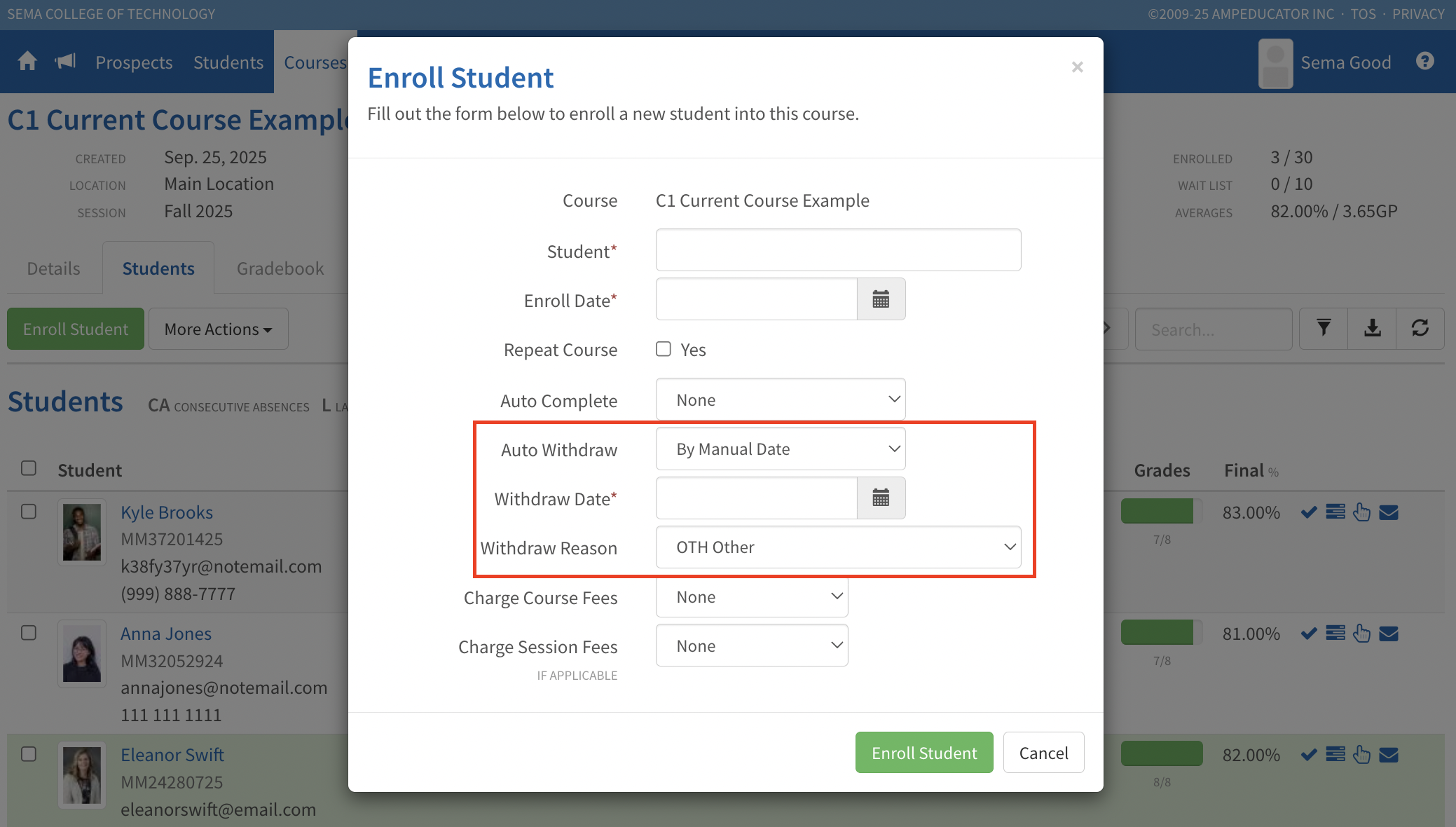
The new Auto Withdraw field when enrolling a student into a course.
Withdrawal reasons can be configured in Institution Config / Students / Reasons to match your school’s preferred options.
If a student is already enrolled, you can update these settings anytime by editing the student’s course under Students / Courses / Edit Student Course. The withdrawal process runs automatically each morning (EST).
