Release Date: October 30, 2025
The Attendance tab in the Student Portal has been redesigned to give students a clearer, more complete view of their attendance.
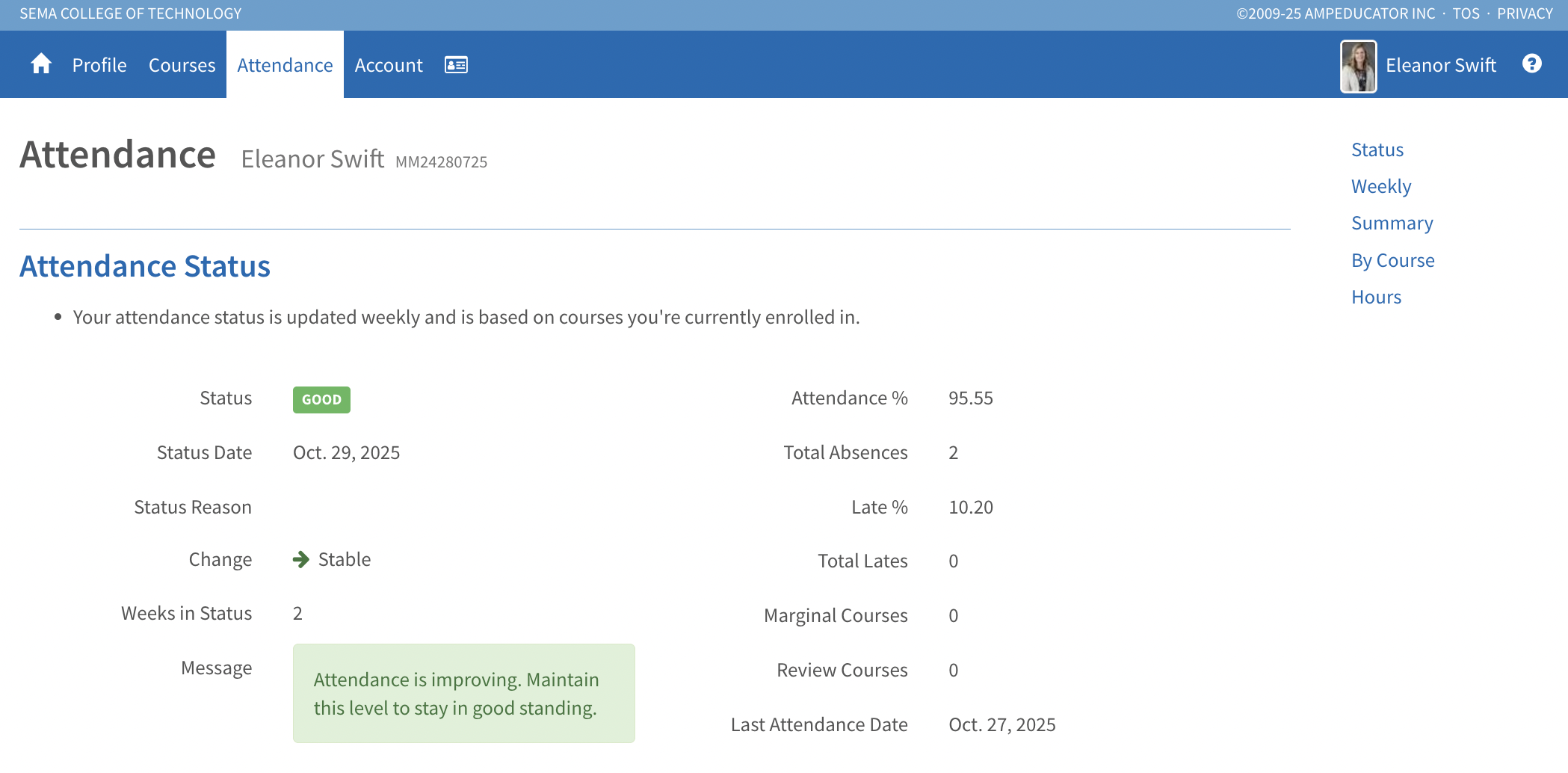
Attendance Status
Now displays a student’s current attendance standing (Good, Marginal, or Review), the reason for the status, change from the previous week, and number of weeks in status. A personalized message also appears to help students understand their attendance trend.
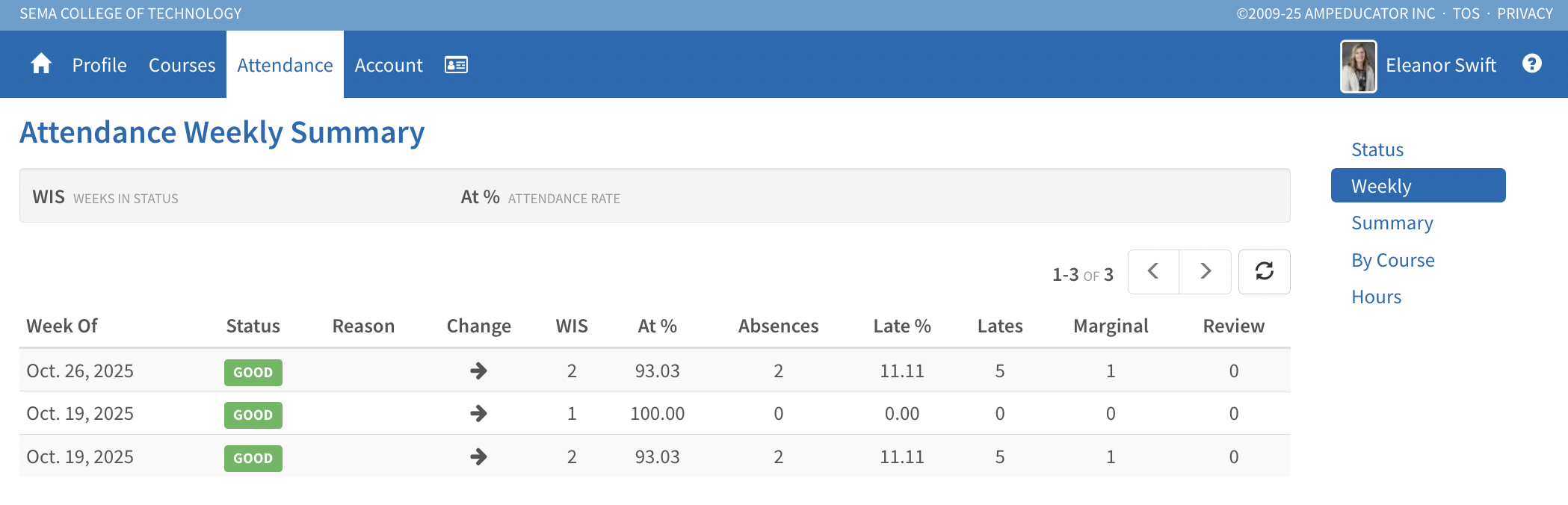
Weekly Summary
Shows week-by-week attendance data, including attendance percentage, absences, lates, and the number of courses marked as Marginal or Review.
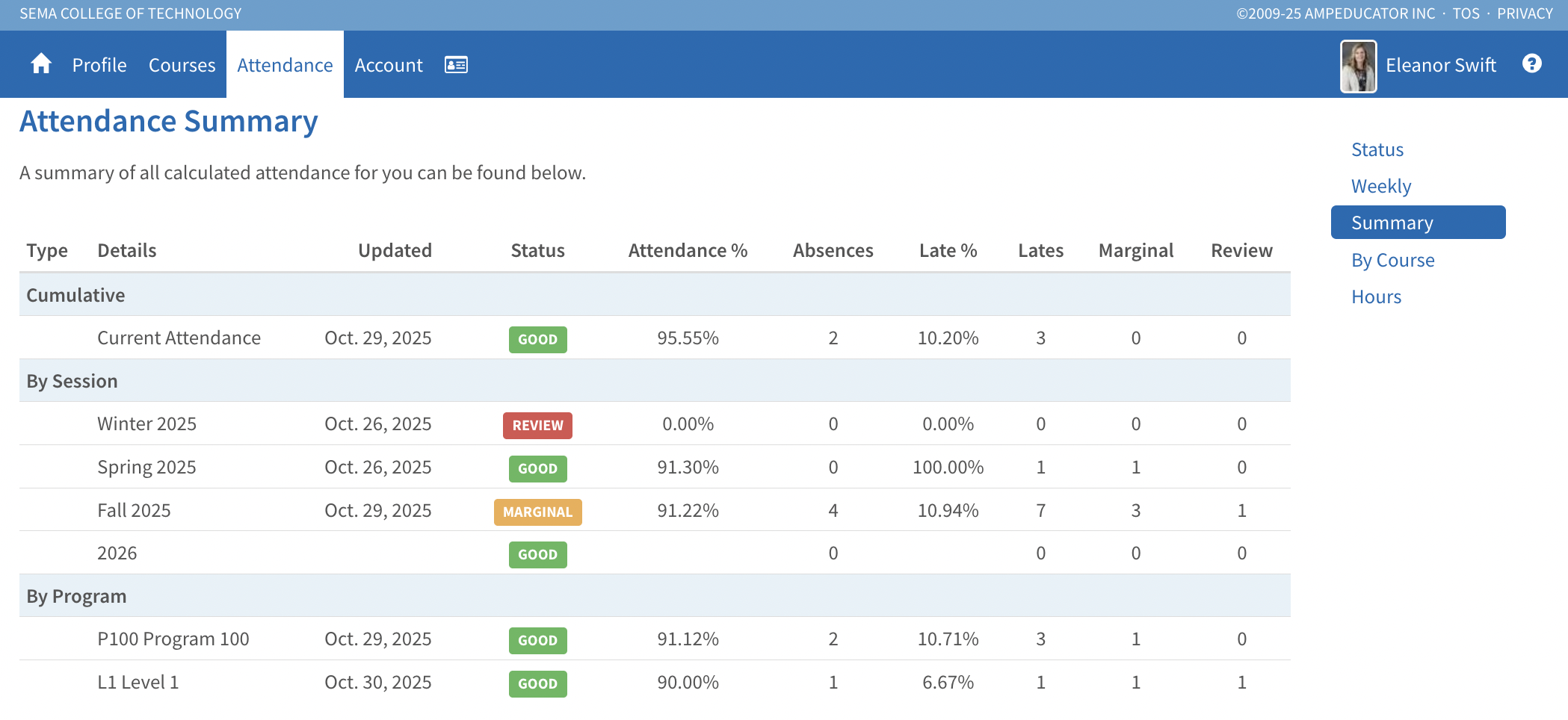
Attendance Summary
Combines cumulative, session, and program attendance results in one view, providing an easy way to compare performance across different levels.
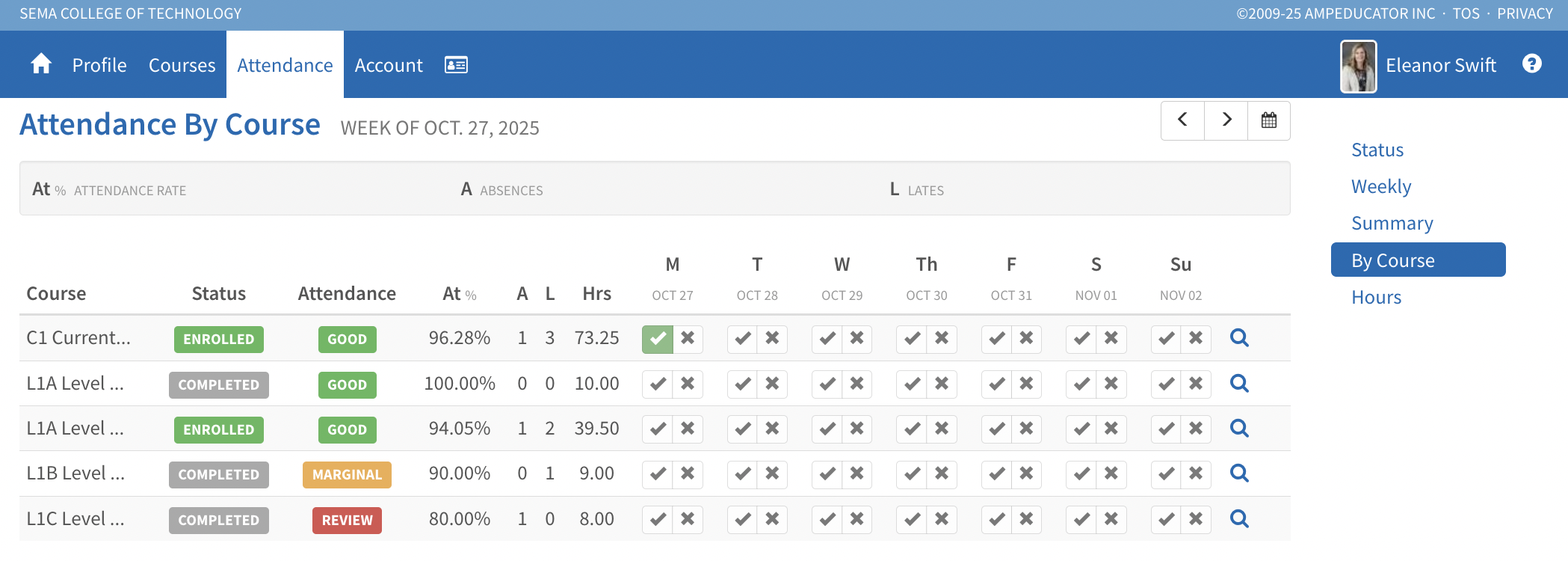
Attendance by Course
Lists attendance for each course with percentages, absences, and lates. The magnifying glass icon opens detailed attendance records for that class.
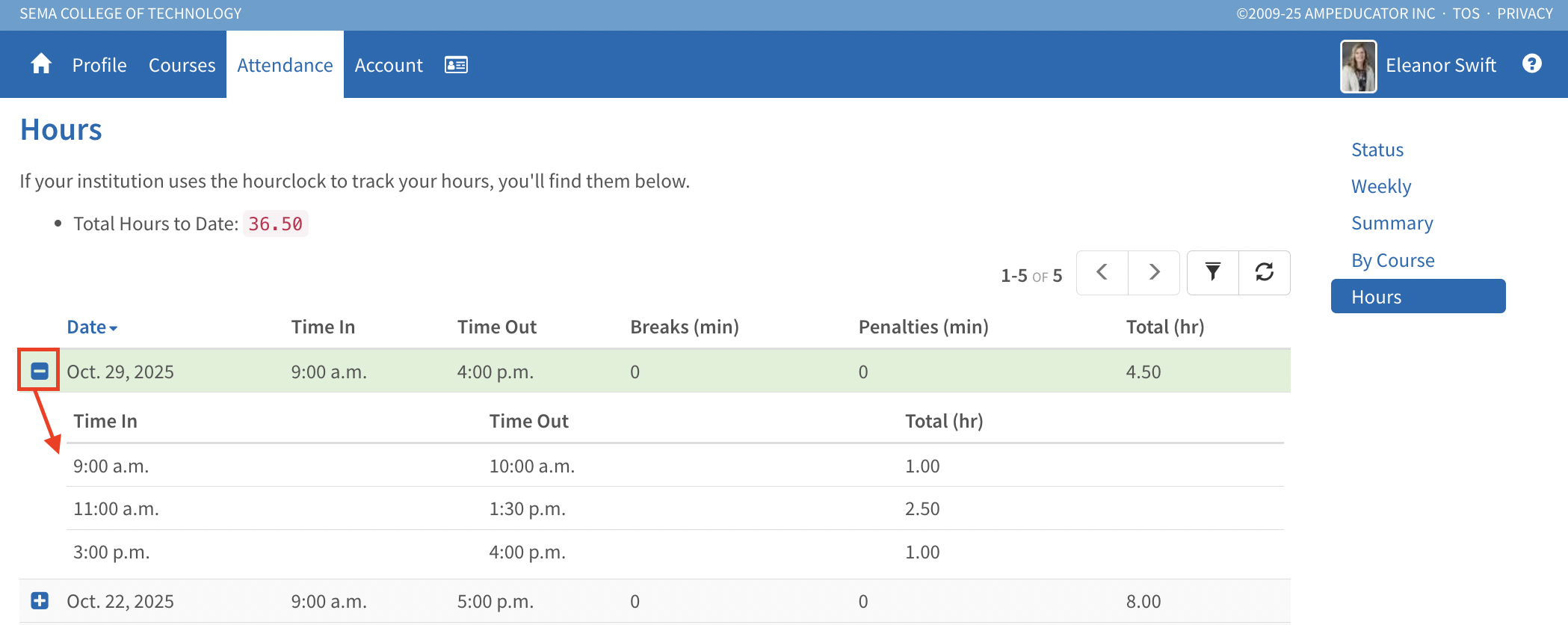
Hours
Displays total recorded clock-in and clock-out times (if Hour Clocks are used), including breaks, penalties, and total hours completed. Each entry can be expanded to view full details.
This update makes it easier for students to monitor attendance performance and track progress in real time.
